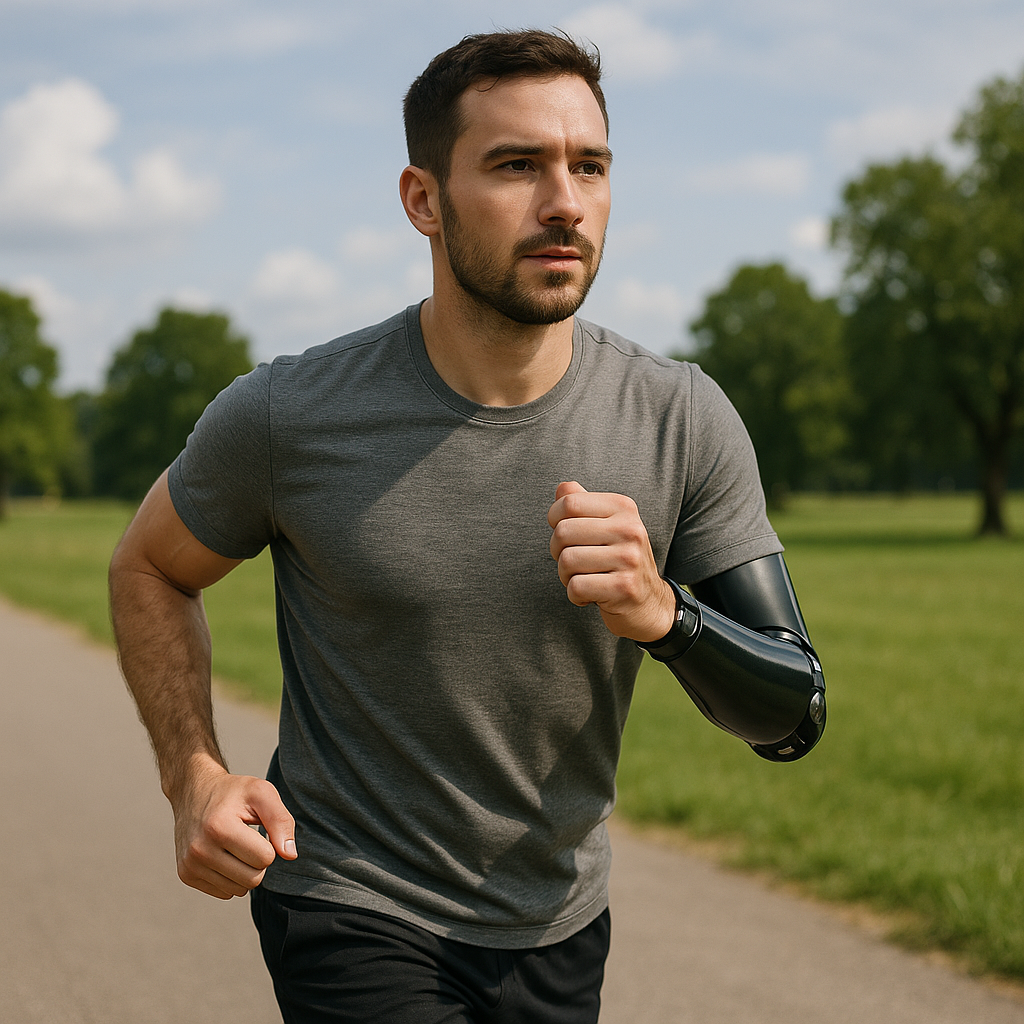
How Fast Should an AI Prosthetic Arm Move? The Human-Speed Sweet Spot
Robotic limbs are getting smarter. But intelligence alone doesn’t make a prosthetic arm feel like part of your body—movement timing matters. Too fast and the device can feel startling or uncanny; too slow and it feels clumsy and unhelpful. Emerging research using virtual reality shows that an AI-driven prosthetic is most readily accepted when its reaches happen at a natural, human-like pace—roughly one second per reach. This article explains why that matters, how researchers tested it, and practical steps for clinicians, developers, and users to tune movement speed for comfort, control, and trust.
Quick Summary
- Movement timing strongly affects how a prosthetic arm is perceived—speed influences comfort, control, and trust.
- In VR experiments, AI prosthetic reaches that took about one second felt most natural to users.
- “Natural” speed depends on reach distance, context, and user preference; calibration is essential.
- Designers should focus on smooth acceleration profiles and clear feedback, not raw top speed.
- Users should work with clinicians to test and adjust timing settings gradually and safely.
Why movement speed matters for prosthetic acceptance
Human limbs move with predictable timing, acceleration, and rhythm. The brain expects those patterns. When a prosthetic arm moves in ways that diverge from those expectations, the mismatch can create three common reactions:
- Discomfort or eeriness: Movements that are too quick, jittery, or mechanical can feel unsettling.
- Frustration or loss of control: Movements that are sluggish or delayed make tasks harder and reduce the sense that the limb is under one’s own control.
- Distrust: If the device behaves unpredictably in timing or trajectory, users are less willing to rely on it for daily tasks.
These psychological responses matter because they influence how often and confidently someone will use their prosthetic in real life.
The one-second “sweet spot” explained
Researchers using virtual-reality simulations of prosthetic arms found that reaches taking about one second tended to be rated as most natural and comfortable. Why one second? It’s close to the timing people typically use for unhurried, goal-directed reaches in everyday tasks—long enough to feel deliberate, short enough to be efficient.
Key takeaways about that timing:
- It’s an approximate benchmark, not a universal rule—ideal timing depends on reach distance, task urgency, and individual preference.
- Smoothness of motion (how acceleration and deceleration are handled) is just as important as total duration.
- Context sensitivity matters: fast sub-second responses may be appropriate for reflexive tasks, while slower, precise movements are better for delicate work.
How the VR studies tested acceptance
Virtual reality provides a controlled setting where device behavior can be changed without risk. In experiments, participants controlled or observed simulated prosthetic arms that performed identical tasks but with different timing profiles. Researchers then measured subjective ratings (comfort, sense of ownership, trust) and objective performance (accuracy, task completion time).
Although VR is a proxy for real-world use, it isolates timing as a variable and reveals perceptual effects that inform physical device design. The consistent finding: moderate, human-like reach durations cluster near one second for typical arm-length reaches.
What designers, clinicians, and users should focus on
For designers and engineers
- Prioritize smooth velocity profiles: use controlled acceleration and deceleration (e.g., bell-shaped velocity) rather than abrupt starts/stops.
- Implement context-aware timing: allow the controller to vary movement duration based on reach distance and task type.
- Minimize latency: sensor and control delays break the perception of naturalness even if movement duration is reasonable.
- Provide adjustable timing parameters and presets so clinicians and users can fine-tune behavior.
For clinicians and prosthetists
- Start with human-like baseline timings (around one second for typical reaches) and observe patient response.
- Make incremental adjustments and evaluate comfort, task performance, and confidence with standardized tasks.
- Include training sessions where users learn how the timing feels and how to exploit it for different activities.
For prosthetic users
- Communicate your preferences and comfort levels clearly to your clinical team.
- Test different speed presets in safe settings and with real tasks you want to do every day.
- Be patient—adaptation takes time, and small timing changes can produce large subjective differences.
Practical steps for tuning movement speed
Below are step-by-step actions tailored for each stakeholder. Remember: always work with a trained prosthetist or clinician when making adjustments that affect safety or function.
Step-by-step for clinicians and technicians
- Assess typical daily tasks and common reach distances for the user.
- Set a baseline timing: roughly one second for reaches of typical arm length; adjust for longer or shorter reaches proportionally.
- Choose a smooth velocity profile (avoid abrupt acceleration).
- Run standardized tasks in a controlled environment and collect subjective feedback and objective metrics.
- Iterate in small increments (e.g., ±10–20% duration adjustments) and re-test.
- Document settings and training exercises for home practice.
Step-by-step for users
- Ask your clinician about timing presets and request an initial, human-like baseline.
- Try simple tasks (pick up a cup, press a button) and note comfort and accuracy.
- Give feedback: tell your clinician if it feels too fast, slow, or jerky.
- Practice with the chosen settings and report any difficulties in daily tasks.
- Revisit adjustments if your needs change (e.g., new activities, greater proficiency).
Checklist: tuning a prosthetic arm’s movement speed
- Baseline movement duration set (start ~1 second for typical reach)
- Smooth acceleration/deceleration profile applied
- Latency measured and minimized where possible
- Context-aware timing rules configured (reach distance, task type)
- User comfort and task performance evaluated
- Incremental adjustments documented
- Follow-up schedule and training plan in place
Common Mistakes
- Chasing maximum speed: Making the arm as fast as technically possible often reduces perceived ownership and increases errors.
- Ignoring smoothness: Focus on duration alone; jerky acceleration or sudden stops still feel unnatural.
- One-size-fits-all settings: Not individualizing timing for reach distance, task type, or personal comfort leads to poor outcomes.
- Neglecting feedback: Failing to collect subjective user input and relying only on performance metrics misses important acceptance signals.
- No training plan: Users need guided practice with new timing settings; skipping training prolongs adaptation and frustration.
Ethical and safety considerations
Movement timing can affect safety. Fast movements may create collision risk; slow movements may cause drops. Any speed tuning must be done under clinical oversight with safety measures in place (limits on force, collision detection, emergency stop mechanisms). Additionally, designers should consider the psychological impact of movement behavior and prioritize user autonomy: let the wearer choose presets and opt-out options rather than imposing defaults.
Conclusion
Movement timing is a surprisingly powerful factor in whether an AI-powered prosthetic arm feels like part of the body. VR-based research points to a roughly one-second reach as a useful starting point: fast enough to be efficient, slow enough to feel intentional. But the ideal timing varies by person and task. The most successful systems combine smooth motion profiles, low latency, context sensitivity, and customizable settings—tuned through careful clinical testing and user feedback. If you’re a user, clinician, or developer, focus on iterative adjustment and safety-first testing to find the timing that best supports comfort, control, and trust.
FAQ
Q1: Is one second always the right speed for every task?
A1: No. One second is a useful baseline for typical arm-length reaches, but task demands and reach distance change ideal timing. Fast reflexive tasks or very delicate tasks may require shorter or longer durations. Calibration per task and user is important.
Q2: Can I change the speed settings of my prosthetic myself?
A2: Many devices require clinician or technician access to adjust core timing parameters. For safety and optimal function, work with your prosthetist—self-adjusting without guidance is not recommended.
Q3: Will my brain adapt to a prosthetic that moves differently from a natural arm?
A3: People can adapt to a range of device behaviors, but adaptation is more comfortable and faster when movement timing and smoothness are close to natural patterns. Training and incremental changes improve adaptation.
Q4: Does faster always mean better for performance?
A4: Not necessarily. Faster movement can improve task completion time but may reduce accuracy, comfort, and trust. A balanced, context-aware approach typically yields the best real-world outcomes.
Q5: How do researchers measure whether a prosthetic feels like part of the body?
A5: Studies use a mix of subjective questionnaires (comfort, ownership, trust), behavioral measures (accuracy, error rates), and sometimes physiological markers. Virtual-reality experiments are also used to isolate variables like timing in a controlled setting.
Note: This article provides general information about prosthetic behavior and design. For medical or device-specific guidance, consult a qualified prosthetist, rehabilitation specialist, or physician.














Post Comment