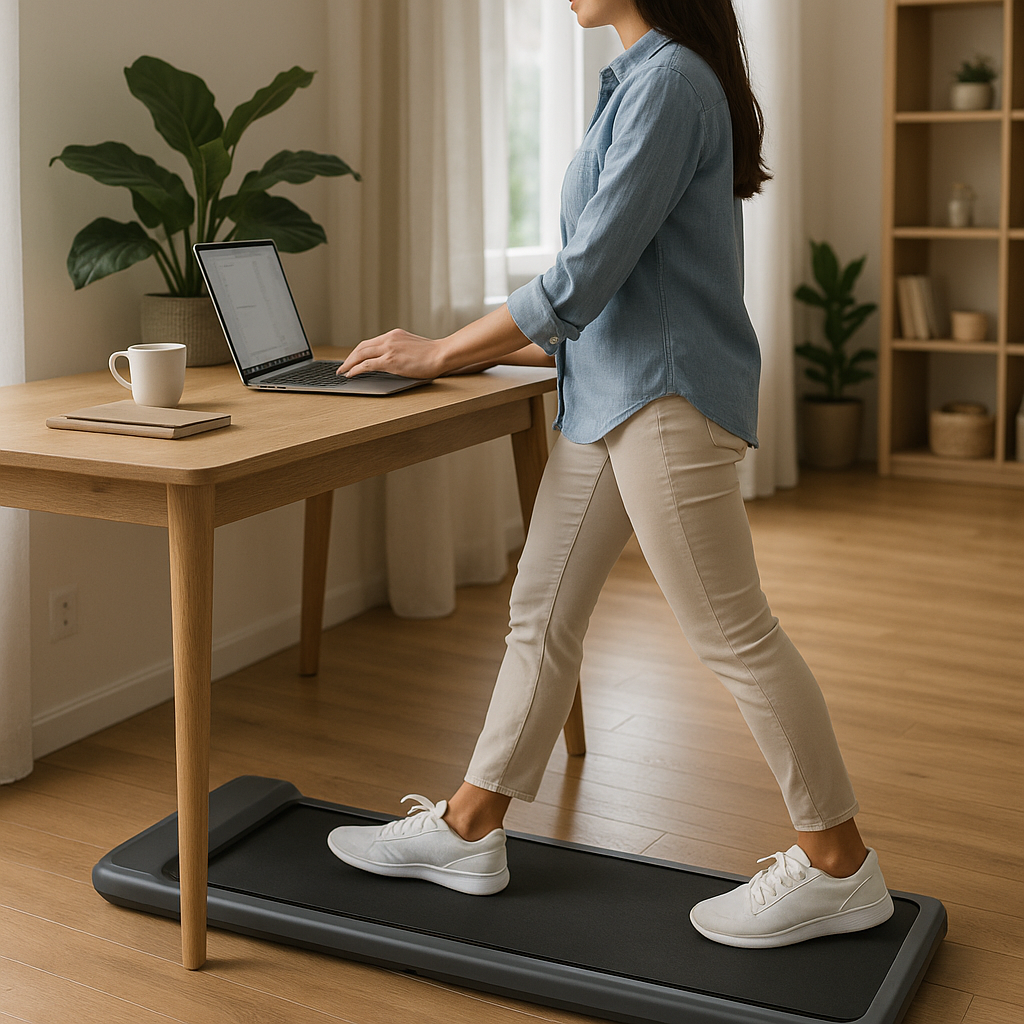
Stay Moving at Your Desk: 7 Top Under‑Desk Walking Pads for Workday Activity
Quick Summary
- Under‑desk walking pads let you add low‑intensity movement to long workdays without leaving your desk.
- Choose based on speed range, belt size, noise level, weight capacity, and whether it folds for storage.
- Start slowly—short sessions at low speeds—and prioritize posture and safety.
- Seven picks below cover budget, quiet operation, compactness, and heavy‑use needs to help you pick the right model.
Introduction
If you sit for long periods, an under‑desk walking pad is one of the simplest ways to add gentle activity to your day without interrupting work. These low‑profile treadmills are designed to slot under a standing desk or fit into a small home office. They’re not for running fast; they’re for steady walking, boosting steps, breaking up sedentary time, and helping circulation during long meetings or focus sessions.
How to choose an under‑desk walking pad
- Speed range: Most walking pads top out around 3–4 mph. If you want to jog, look for higher max speeds, but note that stability can be limited at running paces.
- Belt size and cushioning: Wider/longer belts are more comfortable for longer strides. Look for shock absorption to reduce joint strain.
- Noise level: If you work in shared spaces or have video calls, choose a model marketed as low‑noise.
- Weight capacity and build: Confirm the user weight limit and frame quality—heavier users need sturdier builds.
- Portability and storage: Folding designs or wheels make it easier to slide the pad under a couch or closet when not in use.
- Desk compatibility: Ensure your desk height and stability can accommodate a walking pad—some desks need reinforcement or adjustable height.
- Warranty and support: A solid warranty and accessible customer service matter for electronics and motors.
Top 7 under‑desk walking pads (what to consider for each)
1. Best overall: LifeSpan TR1200‑DT3 (Under‑Desk Model)
Why it stands out: Built specifically for under‑desk use, this model balances quiet operation, smooth motor performance, and a stable walking surface. It’s backed by a fitness‑equipment brand known for warranty support and office solutions.
Good for: offices and home workers who want a durable, reliable unit with proven service.
2. Best compact/folding: WalkingPad A1 Pro (Kingsmith)
Why it stands out: Extremely slim, lightweight and designed to fold in half for storage. It’s easy to slide under furniture and very space‑efficient.
Good for: small apartments or desks with limited floor space.
3. Best quiet operation: Premium low‑noise models
Why it stands out: Some brands focus on a quiet motor and special belt materials to keep hum and vibration low—important for calls or shared rooms. Look for models advertising a quiet motor or low decibel operation.
Good for: open offices and remote workers who join frequent video calls.
4. Best budget pick: Basic under‑desk treadmills
Why it stands out: Economical models deliver core walking functionality and usually fold or have wheels for storage. They skip high‑end features to keep costs down.
Good for: casual users who want to increase daily steps without a big investment.
5. Best for heavier users: Sturdy, higher weight‑capacity models
Why it stands out: These pads use stronger frames and motors and list higher maximum user weights—look for reinforced decks and better warranties.
Good for: users who need the extra stability and durability.
6. Best smart features: Bluetooth & app connectivity
Why it stands out: App connectivity can track steps, time, speed and sync with health apps. Some models include remote controls or LED displays for quick adjustments.
Good for: data‑driven users who want to log activity without an extra device.
7. Best multi‑purpose (walk & light run): 2‑in‑1 foldable treadmills
Why it stands out: These offer wider belts and slightly higher top speeds so you can alternate between walking and light jogging. They’re bulkier but more versatile.
Good for: users who want both walk‑at‑desk convenience and the option for occasional runs.
Practical steps to get started safely
- Measure your desk clearance and floor space before buying. Measure belt dimensions and unit height to ensure compatibility.
- Start with short sessions: 10–15 minutes at an easy pace (1.5–2.5 mph) and build up step time gradually.
- Wear supportive shoes—don’t walk barefoot or in slippers that could slip on the belt.
- Keep a slight bend in the elbows and maintain an upright posture; avoid leaning on the desk heavily.
- Hydrate and take breaks—alternate seated, standing, and walking periods rather than trying to walk for hours nonstop.
- Use the remote or console to set a safe speed. Pause the unit when shifting documents or reaching for items to avoid trips.
- If you have chronic health issues, balance concerns, or recent injuries, check with a healthcare provider before starting a regular walking‑pad routine.
Pre‑use and purchase checklist
- Desk height compatibility and stability
- Belt length and width (comfortable for your stride)
- Noise level expectations
- Maximum speed and motor power
- User weight limit
- Folding/transport features and footprint when stored
- Warranty length and parts coverage
- Return policy and customer reviews for reliability
Common Mistakes
- Buying purely on price: a cheaper unit can be noisier and less durable—inspect reviews for long‑term reliability.
- Assuming every walking pad fits under every desk: check clearance, especially if you have a keyboard tray or crossbars.
- Walking too fast too soon: pushing speed increases the risk of slips and fatigue; progress gradually.
- Poor posture and leaning on the desk: this reduces the benefit and can strain your back and shoulders.
- Neglecting maintenance: belts can loosen and motors can need cleaning—follow the manufacturer’s care instructions.
Why an under‑desk pad may be a better tool than stepping outside
Bad weather, time constraints, and busy schedules make it hard to get outdoor walks every day. A walking pad provides a predictable, weather‑proof option that helps you accumulate steps during the workday. For outdoor training and gear tips when weather clears up, see this guide to cold‑weather running gear: cold‑weather running gear.
Long periods of inactivity are linked to health risks; small, consistent movement breaks can help reduce sedentary time. If you’re concerned about how your schedule or sleep patterns affect long‑term health, this article about circadian risks offers more context: night‑owls and aging/heart risk.
Conclusion
An under‑desk walking pad is a practical way to add low‑intensity activity to your workday and can improve daily step totals and circulation. Choose a model that fits your space, noise tolerance, weight needs, and storage requirements. Start slowly, focus on posture, and treat the pad as one healthy habit among many—balanced with standing, seated work, and regular breaks.
If you have medical conditions, balance issues, or pain concerns, consult a healthcare professional before beginning any new physical routine.
Checklist: Before you walk
- Have I measured desk clearance and unit footprint?
- Is the belt wide/long enough for my stride?
- Do I have shoes with good traction?
- Is my desk stable at walking height?
- Do I know how to stop/pause the pad quickly?
- Have I reviewed the warranty and return policy?
FAQ
Q1: Are under‑desk walking pads safe to use while working?
A1: Yes, when used correctly. Start at slow speeds, maintain good posture, wear supportive shoes, and use a stable desk. Pause the pad when reaching for items or during tasks that require full visual attention. If you have balance problems or recent medical issues, check with a healthcare professional first.
Q2: Will a walking pad reduce my risk from sitting all day?
A2: Adding regular low‑intensity walking can reduce overall sedentary time, which is beneficial. Walking pads are one strategy among many—combine them with standing breaks, stretching, and scheduled activity for best results.
Q3: Do I need a special desk to use a walking pad?
A3: A height‑adjustable desk is ideal, but a sturdy fixed desk with enough clearance can also work. Make sure the desk doesn’t wobble and that there’s enough space for the pad and proper leg movement.
Q4: How noisy are walking pads—will they bother coworkers?
A4: Noise varies by model. Premium walking pads often advertise quiet motors and vibration reduction. Look for user reviews that confirm low noise in real‑world use if you’re in a shared environment.
Q5: Can I use a walking pad for running?
A5: Most under‑desk pads are intended for walking or very light jogging. If you want to run regularly, choose a full‑size treadmill with a wider belt and stronger motor. If running from time to time is important, consider a 2‑in‑1 model designed for occasional light runs.
Part of the Complete Strength Training Guide
Explore more: Complete Strength Training Guide














1 comment